
Decision, execution, and recovery
Keep the recorded decision separate from the Discord action, then handle duplicate, stale, denied, or failed results.
- Audience
- moderator · senior reviewer · team lead
- Availability
- free · premium preview · feature flagged · private beta access
- Maturity
- alpha · beta · partial
Last reviewed
On this page
A decision and a Discord action are separate facts
A reviewer can approve or record an outcome without the corresponding Discord action completing. ModFlow records execution attempts separately where implemented so operators can distinguish requested, applied, denied, failed, cancelled, and already-handled work.
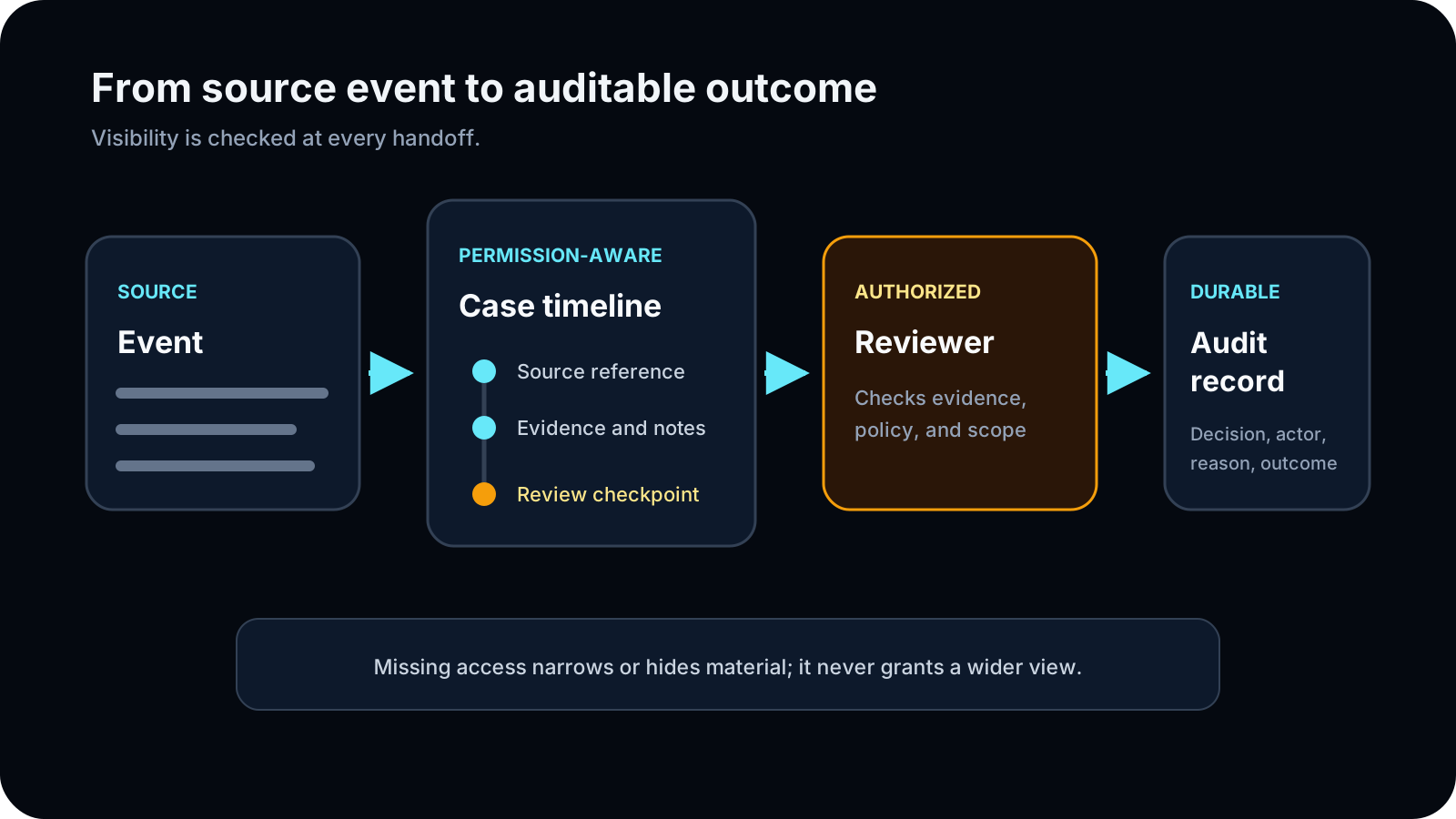
Separate the three checkpoints
| Checkpoint | What it proves | What it does not prove |
|---|---|---|
| Decision | An authorized reviewer recorded judgment and intended outcome | That Discord accepted or applied an action |
| Execution request | An authorized action was submitted with a traceable identity | That the target or permissions still allowed it |
| Execution result | The attempt reached a recorded terminal or retryable state | That every downstream notification or artifact succeeded |
| Final record | The visible workflow state reflects the verified result | Access to every restricted source or detail |
Check decision, execution, and final state
Read the decision
Confirm reviewer, outcome, reason, and current workflow state.
Check: The intended action and authority are explicit.
Inspect existing execution
Check for a prior request, result, or already-handled response before submitting again.
Check: Duplicate punishment risk is reduced.
Execute once
Use the supported control and wait for its recorded result.
Check: One attributable execution attempt is created.
Recover from the result
For denial, failure, or stale state, correct the named boundary and use only a supported retry path.
Check: Recovery preserves the audit trail.
The final record states both the human decision and what actually happened when action was attempted.
Understand duplicate-safe execution
Where implemented, ModFlow creates or reuses an execution record with a stable action key. This lets a repeated request return the existing execution instead of applying the same punishment twice. Operators still must inspect the record; idempotency is workflow-specific and does not make every external effect reversible.
| State | Meaning | Operator response |
|---|---|---|
| Requested/pending | An authorized request exists but has not completed. | Wait or follow the workflow’s explicit cancel/retry rules. |
| Executing | A worker/API is attempting the external action. | Do not submit another request. |
| Completed | The execution reached a stored successful result. | Verify current Discord state and secondary effects. |
| Denied/blocked | Permission, feature, state, or target check prevented execution. | Correct only the named boundary. |
| Failed | The attempt did not reach intended completion. | Read error/retry eligibility; do not create a duplicate record. |
| Retryable | The workflow explicitly permits another attempt. | Resolve the cause, use the supported retry, and verify. |
| Already handled | A matching terminal result or external state already exists. | Use the existing result; do not punish again. |
Handle partial success explicitly
| Workflow | Primary success | Possible partial result | Recovery |
|---|---|---|---|
| Mute/unmute | Timeout changed/cleared. | Voice mute cleanup failed. | Assign voice-state recovery and preserve the action result. |
| Jail/unjail | Active restriction added/removed. | Role restore, channel cleanup, recording stop, or transcript job failed. | Fix only failed roles/channels/artifacts and document manual work. |
| Ban | Ban created. | DM/log/expiry alert failed or purge differs. | Do not re-ban; repair notification/schedule separately. |
| Appeal | Decision recorded. | Reversal failed or public notification unavailable. | Verify original action state and retry only the supported reversal. |
| Ban Review | Reviewer approved. | Execution or requester notification failed. | Keep approved-pending-execution; use authorized executor/retry. |
| Soundcheck | Session stopped. | Recording, transcription, publication, or storage failed. | Record missing artifact; do not imply it exists. |
| Mass action | Some targets affected. | Other targets invalid/failed. | Reconcile per target and retry only confirmed failures. |
Use reversals as new audited actions
| Original | Supported reversal | What remains |
|---|---|---|
| Mute | /unmute, /reducemute, /undo where applicable. | Original reason/action history and reversal reason. |
| Jail | /unjail or /undo. | Jail record, messages/artifacts, and role restoration outcome. |
| Ban | /unban or /undo. | Original ban record; unban does not restore membership. |
| Warning | No /undo. Add correction/context through the record/Case. | Original warning and correction trail. |
| Appeal decision | Decision can trigger a separate original-action reversal. | Appeal decision and reversal execution result. |
| Scheduled action | Cancel only while eligible pending; executed work needs its action-specific reversal. | Schedule/cancellation/execution history. |
Run a safe recovery incident process
Contain
Stop duplicate writes, public sharing, or further configuration changes.
Check: The incident does not widen.
Identify
Record server, target, owning record, current Discord state, last event, and exact time.
Check: The actual state is known.
Classify
Separate wrong target, wrong action/duration, partial side effect, permission drift, stale UI, and data exposure.
Check: The recovery matches the problem.
Reverse/repair narrowly
Use only the supported reversal or owning server configuration control.
Check: The primary issue is corrected without unrelated changes.
Verify
Compare stored record and live Discord state again.
Check: Recovery completion is explicit.
Document
Add the correction/recovery event and unresolved impact.
Check: The audit trail remains honest.
Escalate
Send safe identifiers/status to the correct server lead or published contact.
Check: Sensitive content and credentials stay private.
Recover without repeating uncertain work
Idempotency is proven only on workflows that record a stable execution key. It does not make every external effect reversible or guarantee notifications, role changes, or target availability.
A cross-workflow state is unclear
What you see: The visible status, permission, source, or execution result does not support a confident next action.
What may be happening: The viewer may be reading a stale surface, a narrowed view, a separate lifecycle stage, or a partial operation result.
What to do
- Do not repeat a write until the existing record is checked.
- Compare the requested action with the latest execution status.
- Correct only the stated permission, target, or stale-state problem.
- Escalate uncertain external effects with the record and execution identifiers.